前言
本文主要是笔者小结 WWDC2017 中 《What’s New in Swift》 的 Session ,其中也掺杂了些《What’s New in Foundation》,仅作记录。
下面步入主题。
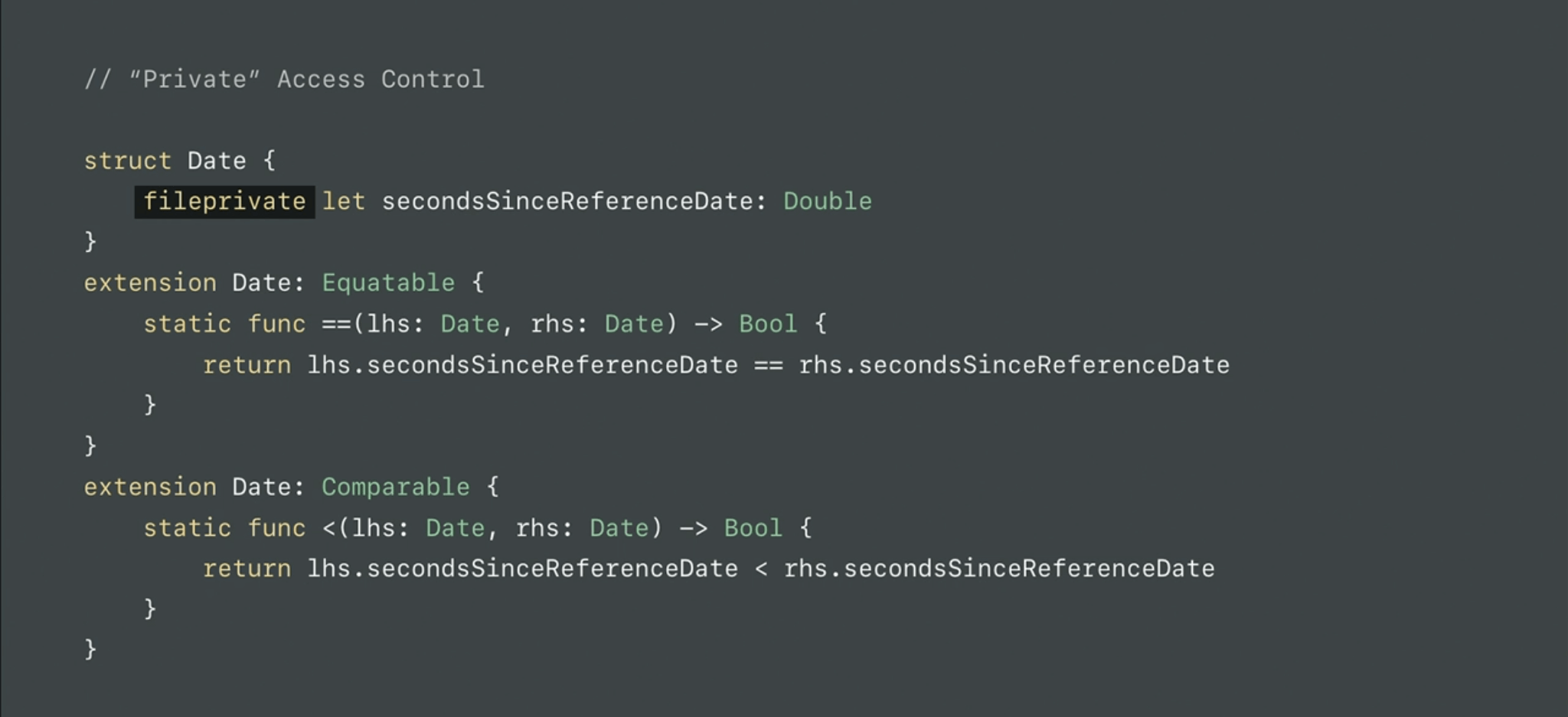
私有访问控制(”Private” Access Control)
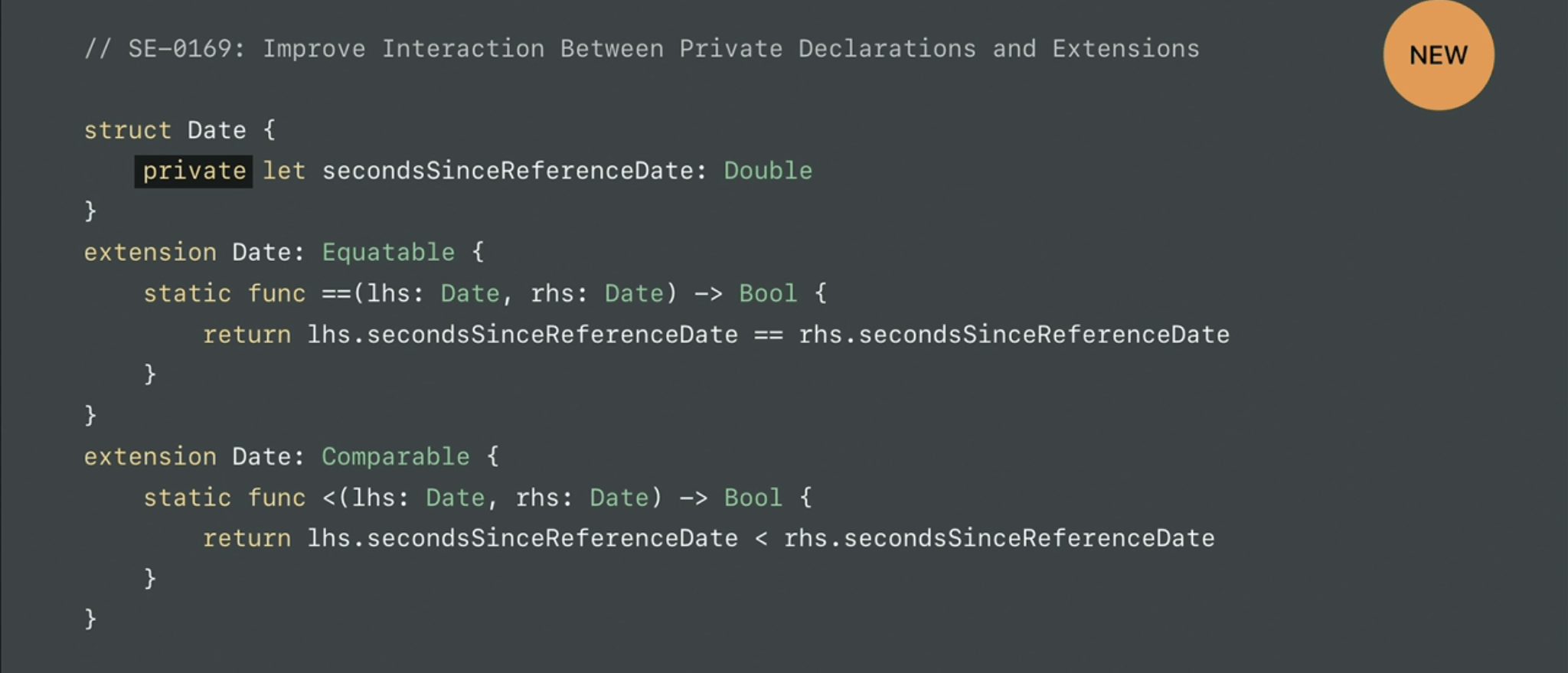
SE-0169
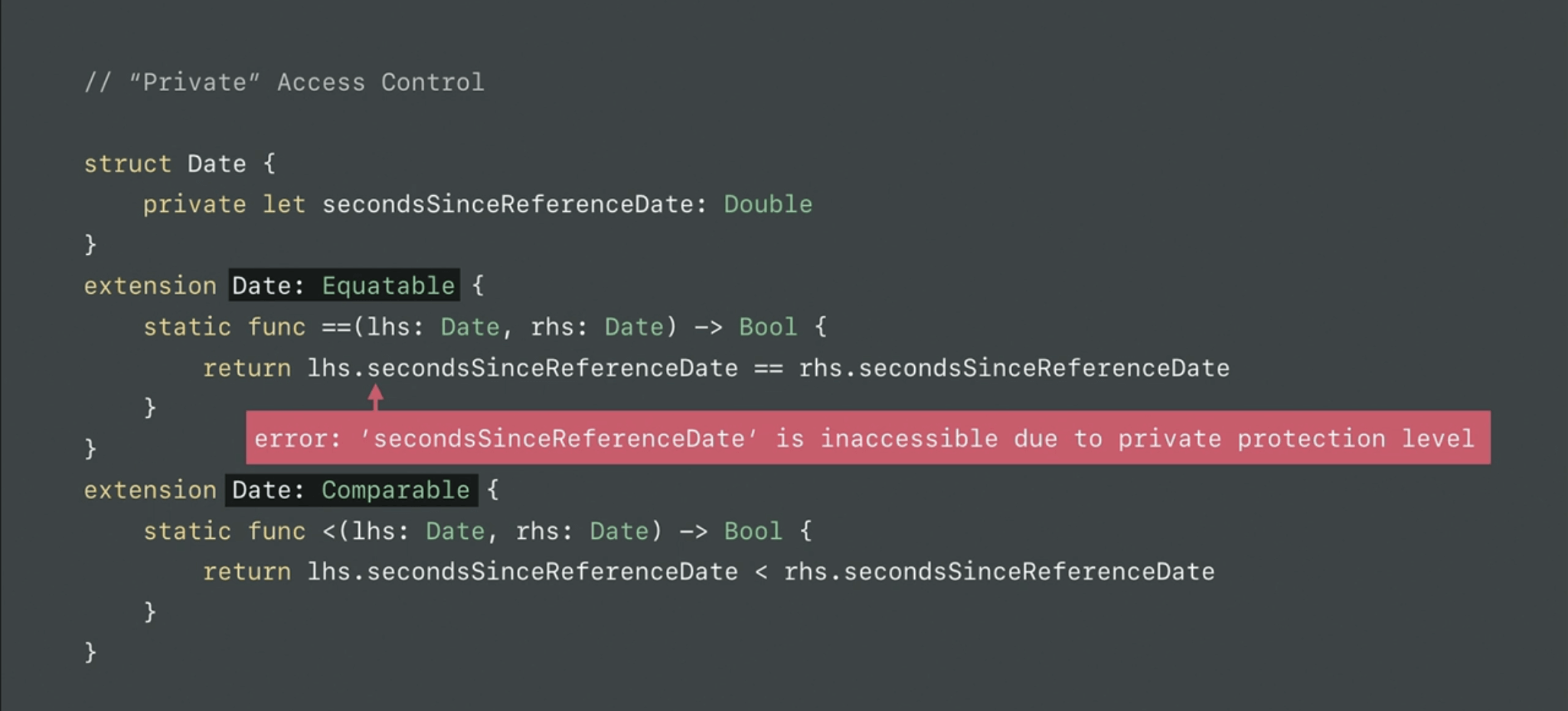
在 Swift 4 中,private 修饰的属性可以在 Extension 中访问了,再也不要用 fileprivate 修饰属性了😎。
下面我们来区分 Swift 3 与 Swift 4 中的区别。
Swift 3:
Swift 4:
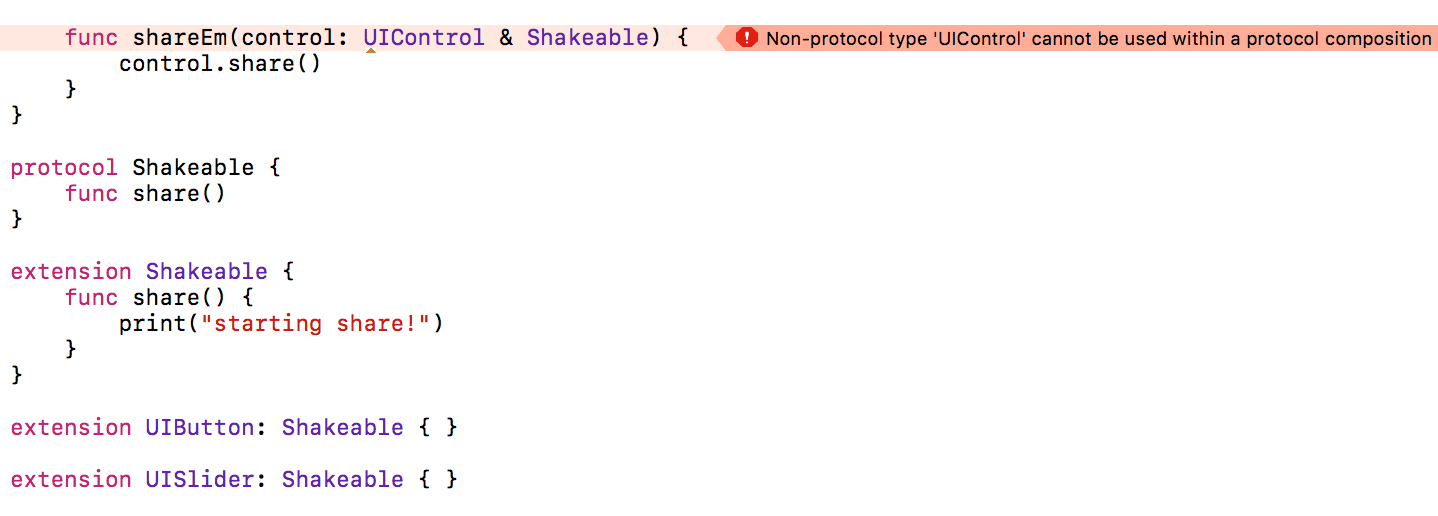
类与协议(Class and Subtype Existentials)
SE-0156
在 Swift 3 中,有些童鞋使用代理时,无法同时继承类和协议
Swift 4 中,针对此处进行了改进,直接上 WWDC17 示例代码:
1
2
3
4
5
6
7
8
9
10
11
12
13
14
15
16
17
18
19
func shareEm(control: UIControl & Shakeable) { control.share() } protocol Shakeable { func share() } extension Shakeable { func share() { print("starting share!") } } extension UIButton: Shakeable { } extension UISlider: Shakeable { }
Smart KeyPaths
SE-0161
在 Swift 4 中新增了一种 Key-Path 表达式,该表达式可用于 KVC & KVO 中的 APIs,格式如下:
1
2
3
\[Type Name].[Property Name]
示例代码如下:
1
2
3
4
5
6
7
8
9
10
11
12
13
14
15
struct SomeStructure { var someProperty: Int } func smartKeyPath() { let s = SomeStructure(someProperty: 12) let keyPath = \SomeStructure.someProperty let value = s[keyPath: keyPath] print(value) // value is 12 }
如果在上下文中,能隐含的推断出其类型,那么 Key-Path 表达式中的 Type Name 可以省略,即
如:
1 2 3 4 5 6 7 8 9 10 11 12 13 14 15 16 17 18 @objcMembers class SomeClass: NSObject { dynamic var someProperty: Int init(someProperty: Int) { self.someProperty = someProperty } } var observe: NSKeyValueObservation? let c = SomeClass(someProperty: 10) func smarkKVO() { observe = c.observe(\.someProperty) { object, change in // ... print(object.someProperty, change) } c.someProperty = 10 }
Archival & Serialization
SE-0166
Excerpt From: Apple Inc. “Using Swift with Cocoa and Objective-C (Swift 4 beta).
我们以下面这段 JSON 为例,来看 Swift 4 中针对 JSON 进行解析的新方法
1 2 3 4 5 6 7 8 9 10 11 12 { "name": "Banana", "points": 200, "description": "A banana grown in Ecuador.", "varieties": [ "yellow", "green", "brown" ] }
首先,我们要遵循 Codable 协议:
1 2 3 4 5 6 7 8 struct GroceryProduct: Codable { let name: String let points: Int let description: String let varieties: [String] }
使用 JSONDecoder 进行解析:
1 2 3 4 5 6 7 8 9 10 11 12 13 14 15 16 17 18 19 20 let json = """ { "name": "Banana", "points": 200, "description": "A banana grown in Ecuador.", "varieties": [ "yellow", "green", "brown" ] } """.data(using: .utf8)! let decoder = JSONDecoder() let banana = try! decoder.decode(GroceryProduct.self, from: json) print("\(banana.name) (\(banana.points) points): \(banana.description)") // Prints "Banana (200 points): A banana grown in Ecuador.
Encoders
SE-0167
本节主要展示 JSONEncoder 编码,直接上代码:
1 2 3 4 5 6 7 8 9 10 11 12 13 14 15 16 17 18 19 20 struct University: Codable { enum Level: String, Codable { case one, two, three } var name: String var founds: Int var type: Level } func codableTest (_ obj: University) { let encoder = JSONEncoder() let decoder = JSONDecoder() guard let data = try? encoder.encode(obj) else { return } guard let jsonData = try? decoder.decode(University.self, from: data) else { return } print("jsonData:", jsonData) }
关于字符串(String)
字形群集(Grapheme Cluster)
在 Swift 4 中,修复了字形群集长度计算的一些问题,如 emoji 表情。关于字形群集或者 Unicode 编码概念生疏的童鞋可以看笔者之前写的两篇文章 《字符编码(一)》 、《Swift3.0 中 Strings/Characters 闲聊》 。下面我们来看看 WWDC17 上的的示例:
1 2 3 4 5 6 7 8 9 var family = "👩" family += "\u{200D}👩" family += "\u{200D}👧" family += "\u{200D}👧" print("\(family):\(family.count)") // result --> 👩👩👧👧:1
在之前 family.count 会等于 4(\u{200D} 是一个零宽度的 joiner)。
笔者在 Xcode 9 beta1 上运行,选择 Swift 编译语言版本时,测试结果无效,只有在 Xcode 8 测试时 family.count = 4。
字符串改版(String Revision)
SE-0163
在 Swift 2 中,String 的集合这一特性被遗弃,在 Swift 3 中,String 也没有遵守集合的相关协议(如:RangeReplaceableCollection , BidirectionalCollection ),因此自 Swift 2 起,String 不是一个集合,而是把这一特性赋予给了 String 的一个属性 –> characters (A view of the string’s contents as a collection of characters. ),该属性是 String.CharacterView 类型,并且遵守 RangeReplaceableCollection 协议。
1 2 3 extension String.CharacterView : RangeReplaceableCollection {···}
因此我们在遍历或者操作 String 时,经常会这么写:
Excerpt From: Apple Inc. “The Swift Programming Language (Swift 3.1).” iBooks. https://itunes.apple.com/us/book/the-swift-programming-language-swift-3-1/id881256329?mt=11
1 2 3 4 5 6 7 8 9 10 for character in "Dog!🐶".characters { print(character) } // D // o // g // ! // 🐶
.characters.····。
但,直至 Swift 4,String 又开始遵循集合相关协议,从此可以这么写了:
1 2 3 4 5 6 7 8 9 10 for character in "Dog!🐶" { print(character) } // D // o // g // ! // 🐶
当然在 Swift 4 中又出现了一个新的结构体 Substring,Substring 无法直接赋值给 String 的。
关于 Substring 与 String 之间的转换可以这么写:
1 2 3 4 5 6 7 let label = UILabel() let superStr = "tingxins" let subStr = superStr.prefix(4) label.text = String(subStr) print(subStr)
字符串跨行写法(Multi-Line String Literals)
SE-0168
如果字符串需要跨多行,可以这么写:
Excerpt From: Apple Inc. “The Swift Programming Language (Swift 4).”.
1 2 3 4 5 6 7 8 9 let quotation = """ The White Rabbit put on his spectacles. "Where shall I begin, please your Majesty?" he asked. "Begin at the beginning," the King said gravely, "and go on till you come to the end; then stop." """
没错,三对引号。
如果字符串本身包含三个连续的 ‘“””‘ 引号时,可以采用反斜杠进行转义处理(\),如:
1 2 3 4 5 6 let threeDoubleQuotes = """ Escaping the first quote \""" Escaping all three quotes \"\"\" """
单面区间语法(One-Sided Ranges)
SE-0172
在 Swift 3 中,区间运算符只有两种:闭区间运算符(Closed Range Operator)、半闭区间运算符(Half-Open Range Operator)。在 Swift 4 中,又新增了一种更加简单方便的区间运算符–>单面区间(One-Sided Ranges)。
Excerpt From: Apple Inc. “The Swift Programming Language (Swift 4).
你可以这样写:
1 2 3 4 5 6 7 8 9 10 11 12 13 14 15 16 let names = ["Anna", "Alex", "Brian", "Jack"] for name in names[2...] { print(name) } // Brian // Jack for name in names[...2] { print(name) } // Anna // Alex // Brian
当然也和结合半闭区间运算符,可以这么写:
1 2 3 4 5 6 7 for name in names[..<2] { print(name) } // Anna // Alex
判断区间是否包含,可以这么写:(for语句中要注意死循环哈)
1 2 3 4 5 let range = ...5 range.contains(7) // false range.contains(4) // true range.contains(-1) // true”
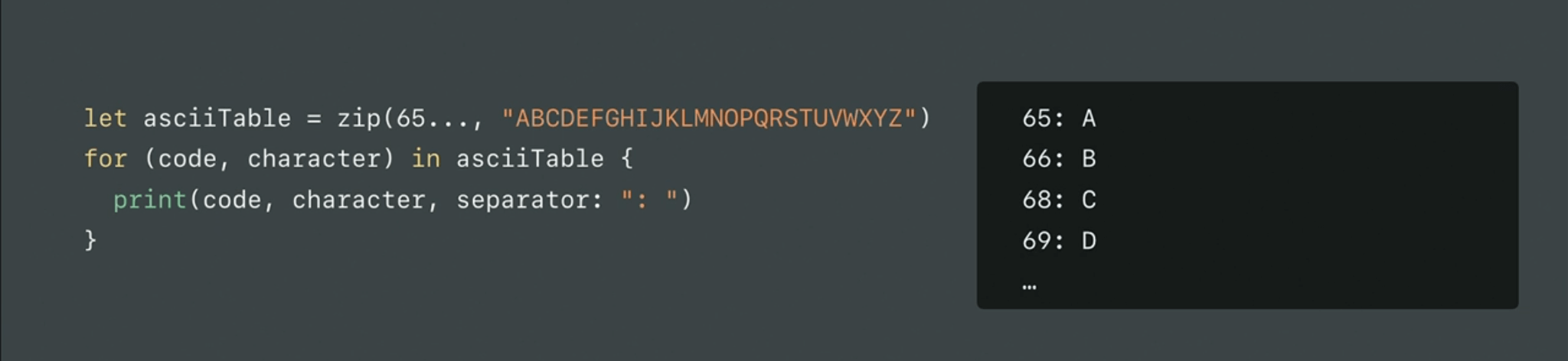
WWDC17 示例代码:
序列协议(Sequence)
SE-0142
在 Swift 3 中,假设我们要为 Sequence 扩展一个方法,要这么写:
1 2 3 4 5 6 7 8 9 extension Sequence where Iterator.Element: Equatable { func containsOnly(_ value: Iterator.Element) -> Bool { return contains { (element) -> Bool in return element == value } } }
但在 Swift 4 中, 针对 Sequence 做了一些小改进,使我们代码更加轻便,看起来更加清爽:
1 2 3 4 5 6 7 8 extension Sequence where Element: Equatable { func containsOnly(_ value: Element) -> Bool { return contains { (element) -> Bool in return element == value } } }
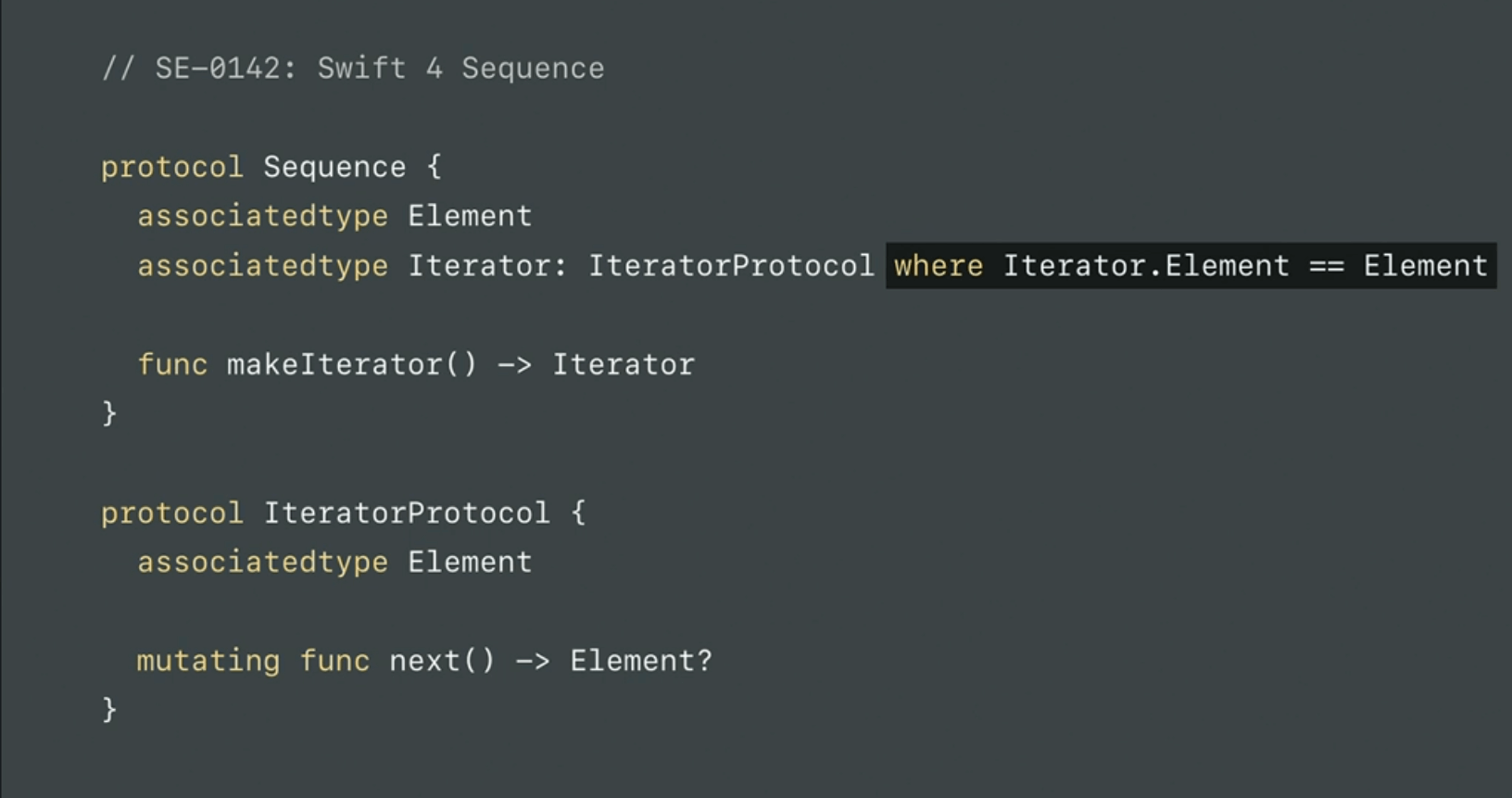
这是怎么实现的呢?因为在 Swift 4 中,我们在声明一个 associatedtype 的 placeholder 时,我们可以使用 where 语句了。
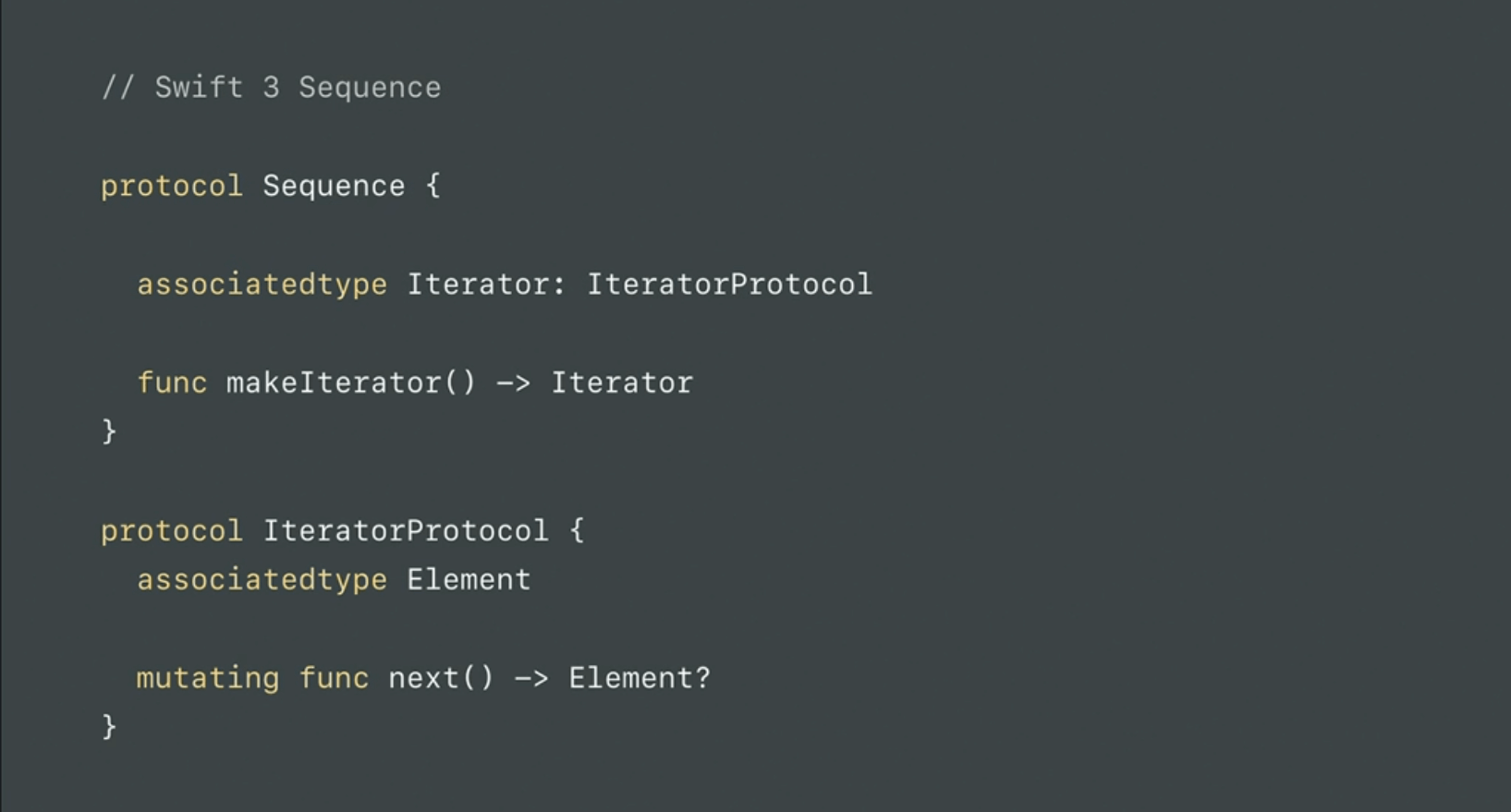
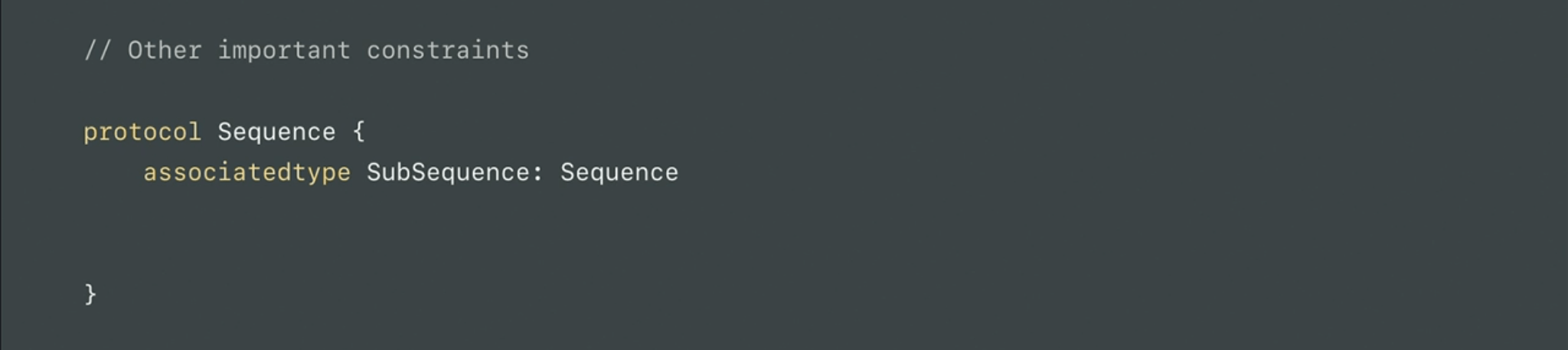
下面我们来对比一下 Swift 3 与 Swift 4 中 Sequence 的区别:
在 Swift 3 中 Sequence 协议是这么写的:
在 Swift 4 中进行改进后,是这么写的:
对比看完后,想必读者一目了然。
下面针对 associatedtype 中使用 where 语句,我们再来看个例子:
Excerpt From: Apple Inc. “The Swift Programming Language (Swift 4).
1 2 3 4 5 6 7 8 9 10 11 protocol Container { associatedtype Item mutating func append(_ item: Item) var count: Int { get } subscript(i: Int) -> Item { get } associatedtype Iterator: IteratorProtocol where Iterator.Element == Item func makeIterator() -> Iterator }
如果在 Swift 3 下写,Xcode 会出现这样的编译错误:
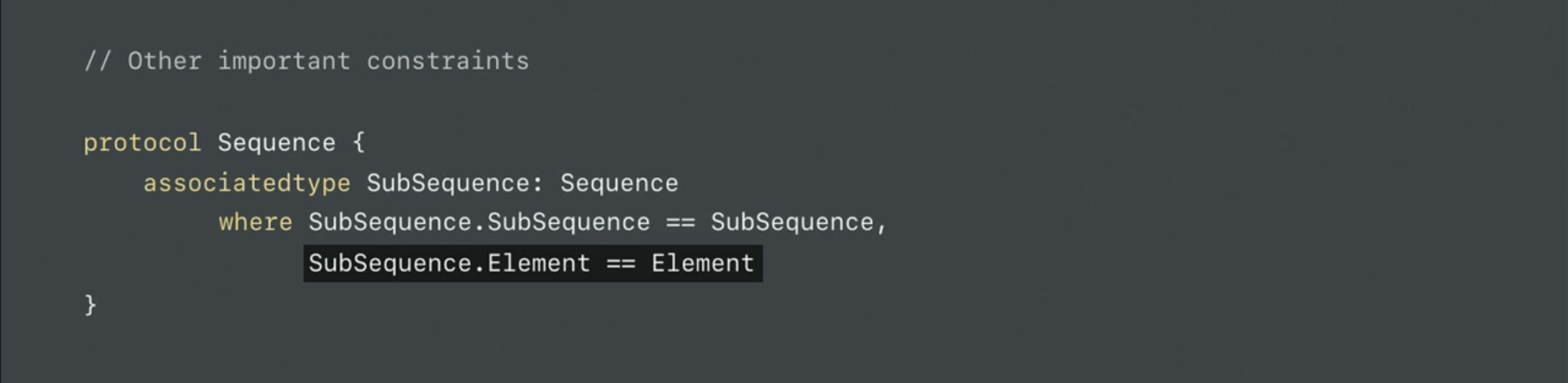
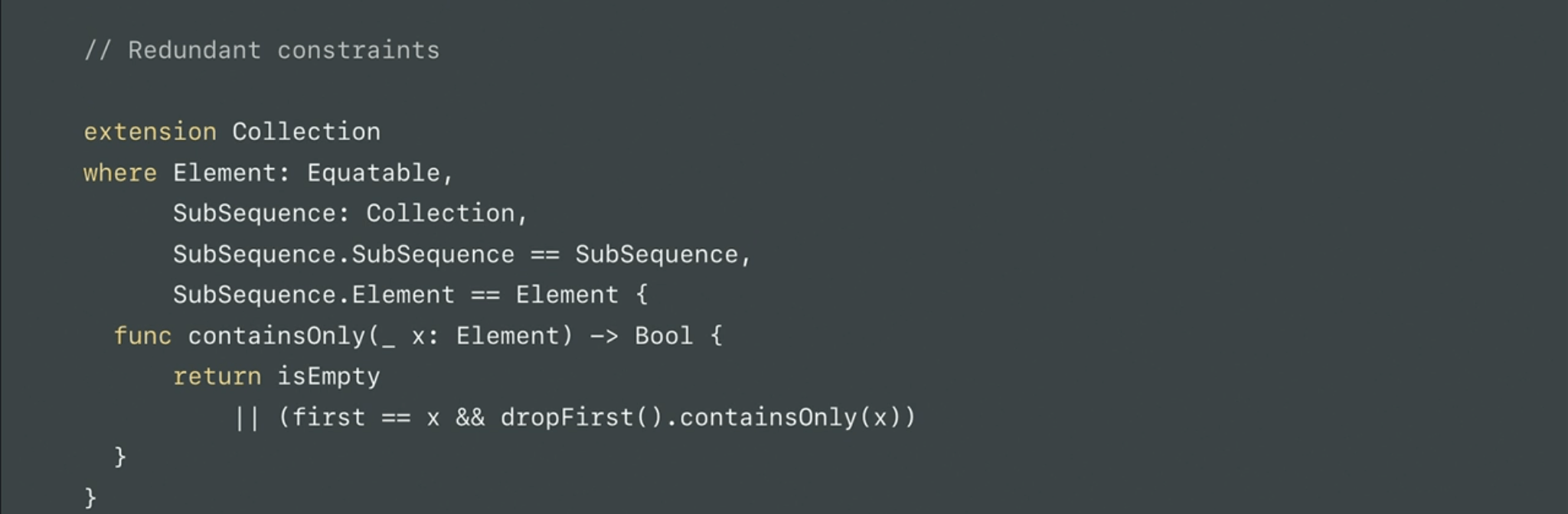
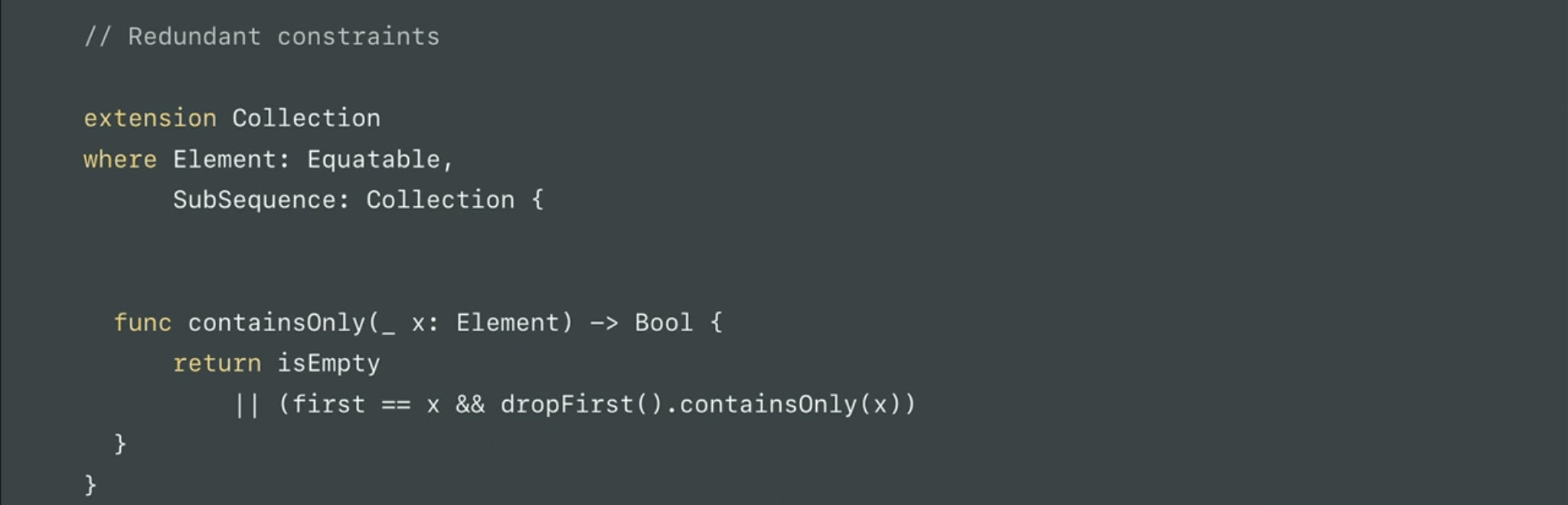
有了上面这些特性后,我们在使用 Swift 4 时,可以省略一些冗余约束,这里直接上 WWDC17 的示例代码:
在 Swift 3 中,是这样写的:
在 Swift 4 中,现在我们可以这么写:
泛型下标(Generic Subscripts)
SE-0148
在 Swift 4 中,现在支持泛型下标了,直接上代码:
Excerpt From: Apple Inc. “The Swift Programming Language (Swift 4).
1 2 3 4 5 6 7 8 9 10 11 12 extension Container { subscript<Indices: Sequence>(indices: Indices) -> [Item] where Indices.Iterator.Element == Int { var result = [Item]() for index in indices { result.append(self[index]) } return result } }
上述代码我们为 Container 添加了下标取值能力,在这个泛型下标中有 3 个约束:
泛型参数 Indices 遵守 Sequence 协议
indices 是 Indices 类型的一个实例
泛型 where 语句筛选 Indices.Iterator.Element 为 Int 类型
关于整型(Protocol-oriented integers)
SE-0104
字典与集合(Dictionary & Set enhancements)
SE-0165
Number 对象桥接(NSNumber bridging and Numeric types)
SE-0170
Swift 3 中,NSNumber 转换有个 Bug,如:
1 2 3 4 5 let n = NSNumber(value: UInt32(543)) let v = n as? Int8 // v is 31
Swift 4 中已修复:
可变集合(MutableCollection)
SE-0173
现在可变集合增加了一个方法,我们可以直接使用 swapAt 方法,而非 swap 。
1
2
3
4
5
6
7
8
9
let university0 = University(name: "Qsting", founds: 1870, type: .one) let university1 = University(name: "tingxins", founds: 1870, type: .one) var mutableCollection = [university0, university1] print(mutableCollection) mutableCollection.swapAt(0, 1) //交换数组中0、1元素的位置 print(mutableCollection)
Change filter to return Self for RangeReplaceableCollection
SE-0174
参考链接
广告
欢迎关注微信公众号